
How to Deploy Flux GitOps Operator on Kubernetes
 Arnaud S.Updated 4 min
- Flux
- GitOps
- ArgoCD
- Gitless
- OCI
- CRDs
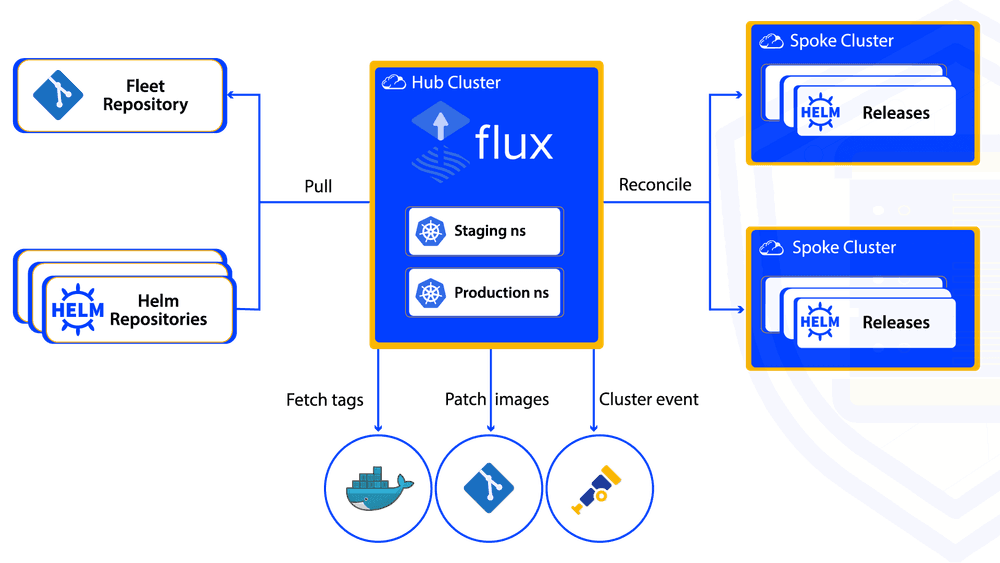
Flux is a GitOps Toolkit with a collection of controllers, composable APIs and CRDs to manage cloud-native application deployment lifecycle within a single or a multi-Kubernetes cluster. The Flux Operator simplifies the configuration of Flux, single or multi-tenancy, sharding, horizontal and vertical scaling, persistent storage, and fine-tuning of the Flux controllers with Kustomize patches. Flux is a core component within the EvoCloud Platform and in this guide, we will walk you through the process of deploying a Flux Operator and configuring a Flux Instance on a Kubernetes cluster.
Prerequisites
- A running Kubernetes cluster (v1.30+ recommended).
- kubectl and helm installed.
- (Optional but recommended) Flux CLI for secrets and verification.
Install the Flux Operator
Install the Flux Operator in the flux-system namespace, using helm or kubectl.
Install via Helm and the OCI Artifact
helm install flux-operator oci://ghcr.io/controlplaneio-fluxcd/charts/flux-operator \
  --namespace flux-system \
  --create-namespace \
  --wait
Install via kubectl as an alternative method
kubectl apply -f https://github.com/controlplaneio-fluxcd/flux-operator/releases/latest/download/install.yamlVerify the operator pod is running
kubectl get pods -n flux-system -l app.kubernetes.io/name=flux-operatorThe Flux Operator can also be installed using other methods such as Terraform, OperatorHub, and more. For more information refer to the official .
Deploy a Flux Instance
About the Author
Arnaud S.
Principal Cloud Platform Engineer